Types of Malware Explained: 7 Threats You Should Know About
Published: 20 Oct 2025
In today’s world, our computers and phones store a wealth of essential data, including photos, passwords, bank information, and work files. But what if something harmful gets into your device and steals or destroys everything? This is where malware comes in. Malware is one of the most serious online threats we face. It takes many forms and can cause significant damage.
This guide explains what malware is, why it’s dangerous, and the main types of malware you should know about. We’ll also discuss how to detect malware and avoid common mistakes when purchasing anti-malware software.
What is Malware?
Malware refers to “malicious software”. It is a malicious program designed to infiltrate your computer, phone, or tablet without your knowledge. Malware’s goal is to steal data, damage files, slow down systems, or monitor your activities.
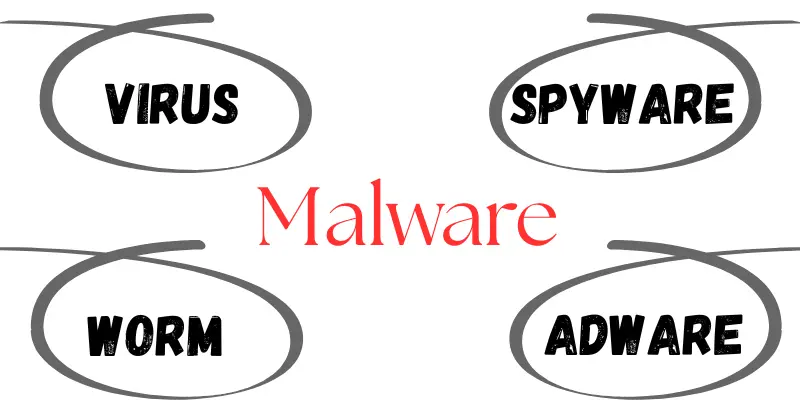
Types of Malware
There are many types of malware, and each type works differently. Let’s explore them one by one:
1. Virus
A virus is a program that attaches itself to files or apps. When you open the infected file, the virus activates and spreads to other files. It can delete or change your data.
Example: A virus might infect your Word documents and corrupt them all.
2. Worm
Worms do not require a file to spread. They replicate themselves and circulate through networks. They can slow down or crash large systems by consuming too many resources.
Example: A worm can spread from one office computer to another without anyone clicking anything.
3. Trojan Horse
A Trojan appears to be a safe app or file, but conceals something malicious inside. When you install it, it secretly opens the door for hackers.
Example: A fake game app that spies on your phone and sends your photos to hackers.
4. Spyware
Spyware hides in your system and records everything you do, including your passwords, the websites you visit, and even what you type. It secretly sends that information to someone else.
Example: when you shop online, a spyware app may send your credit card information to hackers.
5. Adware
Adware displays unwanted advertisements. While not always dangerous, it can be inconvenient and may track your movements or slow down your system.
Example: Pop-up ads that persist even after the browser is closed.
6. Ransomware
This malware encrypts your files and demands payment (called ransom) to unlock them. It is one of the most dangerous types of malware.
Example: When you turn on your laptop, you may see a message saying your files are locked. It instructs you to pay $300 in cryptocurrency to regain access.
7. Rootkits
Rootkits hide deep inside your system. They let hackers control your device without being seen. They’re hard to detect and remove.
Example: A hacker could control your webcam or keyboard without you knowing
8. Keyloggers
These monitor every key you press. Hackers use this to steal passwords, messages, and even entire documents.
Example: A keylogger can record your Gmail login and send it to a hacker.
How to Identify the Right Type of Malware in Your System
If you feel your system is acting strangely, here’s how you can identify the type of malware affecting it:
1. Check for Symptoms
- Is your device slow?
- Are there pop-up ads?
- Did files go missing?
- Is your antivirus disabled?
Different malware types exhibit different characteristics. Spyware may run silently, whereas adware displays numerous pop-ups.
2. Use Anti-Malware Tools
Install a trustworthy anti-malware program. These tools scan your system and identify the type of malware present, such as a virus, worm, Trojan, or another type of malware.
3. Check Task Manager/Activity Monitor
Look for unusual programs that consume excessive memory or CPU resources. Malware often goes by various names.
4. Run Safe Mode Scan
Boot your system in Safe Mode and run a full system scan. Some malware hides during regular operation but shows up in Safe Mode.
Common Mistakes to Avoid When Buying Anti-Malware Software
Choosing the proper protection is key. Here are common mistakes people make:
1. Using Only Free Software
Free tools may not give complete protection. Many don’t offer real-time scanning or ransomware protection.
Tip: Always invest in a trusted paid tool, such as Bitdefender, Norton, or Malwarebytes.
2. Not Checking Reviews
Some fake tools pretend to protect you, but they install more malware. Always read reviews and check ratings.
3. Ignoring System Compatibility
Avoid installing heavy software on an old or slow device. Look for lightweight options that still offer strong protection.
4. Not Updating Software
Old antivirus programs can’t detect new malware. Always keep your security tools updated.
5. Thinking One-Time Scan is Enough
Running a scan once is not enough. Malware can enter at any time. Enable auto-scanning and schedule weekly scans.
Conclusion
In this article, we clearly explained what malware is and why it’s dangerous. We also discussed the various types of malware, methods for detecting them, and strategies for staying protected.
We hope this guide has answered your questions and helped you gain a better understanding of the topic.
Stay safe, stay alert, and always protect your devices from digital threats!
Frequently Asked Questions (FAQs)
Below are some frequently asked questions about different types of malware to help you better understand how they work and how to stay safe from them.
The 7 main types of malware are:
- Virus
- Worm
- Trojan
- Spyware
- Adware
- Ransomware
- Keylogger
Malware can enter through infected emails, fake websites, pirated software, USB drives, or by clicking on unknown links. Always be careful online.
If your device is slow, crashes frequently, displays pop-up ads, or has missing files, it may be infected. Use anti-malware software to scan your system.
WannaCry ransomware is one of the best-known malware attacks in history. It quickly spread around the world in 2017, locking users’ files and demanding Bitcoin to unlock them.
WannaCry affected hospitals, banks, and businesses in more than 150 countries, resulting in billions of dollars in damage. It demonstrated how powerful and dangerous malware can be, even against large organisations.
Immediately run a full malware scan with a trusted tool, remove infected files, and change your passwords. Also, update your software to prevent future attacks.





- Be Respectful
- Stay Relevant
- Stay Positive
- True Feedback
- Encourage Discussion
- Avoid Spamming
- No Fake News
- Don't Copy-Paste
- No Personal Attacks
- Be Respectful
- Stay Relevant
- Stay Positive
- True Feedback
- Encourage Discussion
- Avoid Spamming
- No Fake News
- Don't Copy-Paste
- No Personal Attacks
