Types of Storage Devices – Ultimate Guide for Beginners (With Examples)
Published: 16 Jan 2026
Storage devices play an important role in computers and digital systems. Every computer needs a place to store data, files, software, and the operating system. This is where storage devices are used. From saving documents to storing photos, videos, and applications, storage devices help keep data safe and accessible.
Storage devices play an important role in computers and digital systems because they are used to store data, software, and the operating system. Every computer requires reliable storage to save documents, photos, videos, and applications for future use. In the same way that different types of motherboards are responsible for connecting and managing all hardware components of a computer, storage devices ensure that data remains safe, organized, and easily accessible. Without proper storage devices, a computer would not be able to function efficiently or retain important information
What Is a Storage Device?
A storage device is a hardware component that stores data, files, and information in a computer or digital system. It helps users save documents, images, videos, software, and the operating system, so the data can be used later. Without a storage device, a computer cannot keep any information.
Storage devices are used in computers, laptops, mobile phones, tablets, and servers. Some storage devices store data temporarily, while others store data permanently. For example, RAM stores data only when the computer is on, while hard drives, SSDs, and flash storage devices keep data even after the power is turned off.
In simple words, storage devices act as a digital storage space for your data. Common computer storage devices include primary storage, secondary storage, internal storage, external storage, solid state drives (SSD), and cloud storage. Each type of storage device has a different purpose, speed, and storage capacity.
This clear understanding of what a storage device is helps students and beginners choose the right type of storage for their daily computer and digital needs.
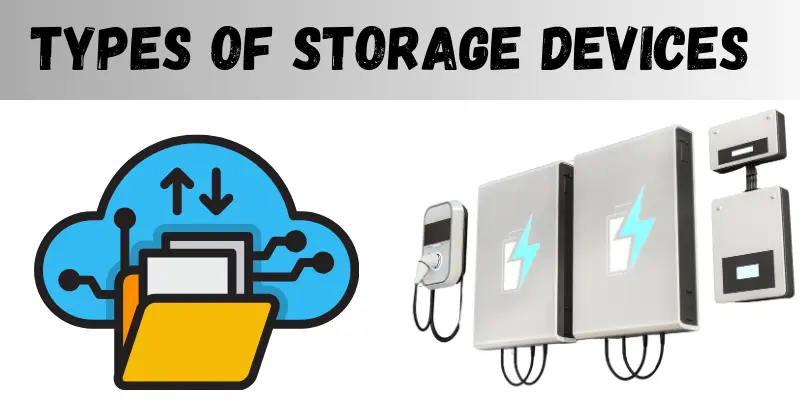
Types of Storage Devices
Storage devices are divided into different types based on how they store data, how fast they work, and how they are used. Each type of storage device has a specific role in computers and digital systems. Let’s understand the main types of storage devices in easy words.
1. Primary Storage Devices
Primary storage is the main memory of a computer. The CPU uses it directly while the computer is running. This storage is very fast but has limited space.
Examples of primary storage devices:
- RAM (Random Access Memory):
Stores data temporarily while programs are running. Data is lost when the power is off. - ROM (Read Only Memory):
Stores permanent instructions needed to start the computer.
2. Secondary Storage Devices
Secondary storage devices store data permanently. They have more storage capacity than primary storage and keep data safe even when the computer is turned off.
Examples of secondary storage devices:
- Hard Disk Drive (HDD)
- Solid State Drive (SSD)
- External hard drives
These devices are used to store files, software, videos, and the operating system.
3. Flash Storage Devices
Flash storage devices are portable and use flash memory. They are small, easy to carry, and widely used for data transfer.
Examples of flash storage devices:
- USB flash drive (Pen drive)
- Memory card (SD card, microSD)
Flash storage is commonly used in mobile phones, cameras, and laptops.
4. Optical Storage Devices
Optical storage devices use laser technology to read and write data. These devices are mostly used for media storage and backups.
Examples of optical storage devices:
- CD (Compact Disc)
- DVD
- Blu-ray Disc
Optical storage is slower and less common today, but still useful for backups.
5. Solid State Storage Devices
Solid-state storage devices use electronic circuits instead of moving parts. They are faster, quieter, and more durable than HDDs.
Example:
- SSD (Solid State Drive)
SSDs improve system speed and are widely used in modern computers and laptops.
6. Cloud Storage
Cloud storage stores data on online servers instead of physical devices. Users can access data anytime using the internet.
Examples of cloud storage:
- Google Drive
- Dropbox
- OneDrive
Cloud storage is useful for backup, file sharing, and remote access.
Flash Memory Devices
Flash memory devices are a type of storage that keeps your data even when the power is off. They are small, portable, and easy to use, so you can store and move files between computers, laptops, and phones.
Flash storage is often used for backing up files, transferring data, and carrying important documents. Unlike old hard drives, flash memory has no moving parts, which makes it faster, stronger, and less likely to break.
Examples of Flash Memory Devices:
- USB Flash Drives (Pen Drives): Store documents, videos, and software.
- Memory Cards (SD cards, microSD cards): Used in cameras, phones, and tablets.
- Solid-State Drives (SSD): Fast storage for laptops and computers.
Flash memory is perfect for students, workers, and anyone who needs safe and portable storage. Knowing about flash storage helps you pick the right device for backups, file transfer, or everyday computer use.
Optical Storage Devices
Optical storage devices are storage tools that use laser technology to read and write data. They are mainly used to store music, videos, software, and backup files. Unlike flash or hard drives, optical storage does not rely on electronic memory but uses discs to save information.
These devices are useful when you want long-term storage or need a physical copy of important data. They are reliable for storing files safely and sharing media with others.
Examples of Optical Storage Devices:
- CD (Compact Disc): Used for storing music, documents, and small files.
- DVD (Digital Versatile Disc): Stores videos, movies, and larger files.
- Blu-ray Disc: High-capacity discs for HD movies and large data backups.
Optical storage is easy to use, portable, and durable, but it is slower compared to SSDs and flash drives. It is perfect for students, professionals, and anyone who needs backup storage.
Other Storage Types
Apart from primary, secondary, flash, and optical storage, there are some other types of storage devices used in computers and digital systems. These storage types are often used for special purposes, like backups, large data storage, or remote access.
1. Magnetic Tape
Magnetic tape is an old but still useful storage type. It is mainly used for backups and archiving large amounts of data. It stores data on long reels of tape and is very cost-effective for keeping huge amounts of data safe over time.
2. Cloud Storage
Cloud storage stores data on online servers instead of physical devices. You can access your files from anywhere using the internet. Cloud storage is great for file backup, sharing, and remote access.
Examples of cloud storage:
- Google Drive
- Dropbox
- OneDrive
Other storage types are helpful for students, professionals, and businesses who need extra storage, remote access, or secure backup solutions.
How Storage Devices Are Used in Everyday Life
Storage devices are not just for computers—they are used every day in many ways to keep our digital life running smoothly. Understanding how they are used helps you choose the right storage device for your needs.
1. Storing Documents and Files
People use HDDs, SSDs, USB drives, and cloud storage to save important files like assignments, reports, and work documents. This keeps data safe and easy to access.
2. Saving Photos and Videos
Memory cards, flash drives, and cloud storage help store photos, videos, and media files from cameras, smartphones, and tablets. This makes it easy to view, share, and back up memories.
3. Backups and Security
Storage devices like external hard drives, SSDs, magnetic tapes, and cloud storage are used for data backup. Backups protect against accidental deletion, system failures, or virus attacks.
4. Installing Software and Operating Systems
Primary storage (RAM, ROM) and secondary storage (HDD, SSD) are needed to run software, games, and operating systems efficiently on computers and laptops.
5. File Transfer and Portability
Flash storage devices like USB drives and memory cards allow users to transfer files between devices easily. Cloud storage also allows sharing files online with friends, colleagues, or clients.
Which Storage Device Should You Choose?
Choosing the right storage device depends on what you need it for. Different storage types have different speeds, capacities, and portability. Here’s a simple guide to help you pick the best storage device:
1. For Speed and Performance
- Use: Running software, gaming, or editing videos.
- Best Storage Devices: SSD (Solid State Drive), RAM
- Why: They are fast, reliable, and improve computer performance.
2. For Large Storage and Backup
- Use: Storing movies, photos, or large files.
- Best Storage Devices: HDD, External Hard Drive, Magnetic Tape
- Why: They provide high storage capacity at a low cost.
3. For Portability and File Transfer
- Use: Moving files between computers or devices.
- Best Storage Devices: USB Flash Drive, Memory Card, Cloud Storage
- Why: They are small, easy to carry, and accessible anywhere.
4. For Long-Term Data Storage
- Use: Archiving important files or documents.
- Best Storage Devices: Optical Discs (CD, DVD, Blu-ray), Cloud Storage, Magnetic Tape
- Why: They are durable, safe, and keep data for a long time.
5. For Online Access and Collaboration
- Use: Sharing files, working remotely, or syncing across devices.
- Best Storage Devices: Cloud Storage (Google Drive, Dropbox, OneDrive)
- Why: You can access data from anywhere with an internet connection.
|
Tip: Most people use a combination of storage devices—for example, SSD for speed, HDD for large files, and cloud storage for backup and remote access. |
Conclusion
Storage devices are an important part of computers and digital systems. They help us store data, run software, save files, and keep backups safe. From primary storage like RAM to secondary storage like HDD and SSD, each storage device has a specific role and purpose.
We also use flash memory devices, optical storage, and cloud storage in our daily lives for file transfer, data backup, and online access. Every storage type offers different benefits in terms of speed, capacity, and portability.
By understanding the types of storage devices used in computers, students and beginners can easily choose the right storage device based on their needs. Using the correct storage device helps improve performance, data safety, and everyday digital work.
Frequently Asked Questions (FAQs)
Below are some common questions that help students and beginners better understand storage devices and their uses:
The main purpose of a storage device is to store data, files, software, and the operating system. It helps keep information safe so it can be used later.
Primary storage (like RAM) works when the computer is on and stores data temporarily.
Secondary storage (like HDD and SSD) stores data permanently, even when the power is off.
The SSD (Solid State Drive) is one of the fastest storage devices. It helps computers start quickly and improves overall system performance.
Yes, cloud storage is safe when used properly. It keeps data online, offers backup options, and allows access from anywhere using the internet.






- Be Respectful
- Stay Relevant
- Stay Positive
- True Feedback
- Encourage Discussion
- Avoid Spamming
- No Fake News
- Don't Copy-Paste
- No Personal Attacks
- Be Respectful
- Stay Relevant
- Stay Positive
- True Feedback
- Encourage Discussion
- Avoid Spamming
- No Fake News
- Don't Copy-Paste
- No Personal Attacks
